
When designers, animators and engineers gather in the same physical room, creativity often ignites — sketches leap off whiteboards, prototypes pass between hands, ideas spark in rapid succession. But today’s creative work rarely unfolds in a single room. Distributed teams span cities and continents. Diverse disciplines juggle complex software. Traditional screens and video calls simply can’t match the nuance and fluidity of co‑located creative collaboration.
Enter virtual reality. Far from gaming’s early novelty phase, VR is becoming a serious platform for professional workflow transformation. It lets creative specialists occupy the same virtual space, interact with 3D assets, iterate designs and solve problems together in ways that feel natural, immediate and deeply spatial. For designers, animators and engineers, this is not a futuristic dream — it’s a practical difference‑maker in the here and now.
In this article, we explore how VR collaboration tools are reshaping creative workflows, breaking down the barriers of physical distance and disciplinary boundaries. We’ll look at real‑world use cases, the technological foundations enabling this shift and the challenges teams must navigate to unlock VR’s full potential.

From Screens to Spaces: Why VR Matters for Creative Workflows
Creative work thrives on immersion. Whether it’s crafting a user interface, sculpting a 3D character or testing a mechanical assembly, spatial understanding is fundamental. Traditional productivity tools — flat screens, grid‑based files, non‑spatial communication channels — inevitably flatten that spatial richness.
Virtual reality changes the geometry of collaboration. Instead of sharing screens or uploading renders into chat threads, teams can walk around, manipulate, animate and annotate digital objects together. VR places people and assets in a shared spatial context, where gestures, positioning and perspective matter. The result is richer communication, fewer misunderstandings and a stronger sense of presence among remote collaborators.
This shift from screens to spaces matters for three key reasons:
• Embodied interaction. In VR, designing isn’t just clicking sliders — it’s reaching toward, grabbing and shaping forms in three dimensions. This embodied experience can accelerate spatial reasoning and creativity.
• Synchronous co‑presence. While video calls show faces, VR shows presence: avatars occupying the same room, leaning into shared models and talking in spatial audio.
• Contextual communication. Pointing, gesturing, annotating in 3D space provides depth to communication that flat tools can’t match.
These aren’t abstract benefits. For teams juggling creative tasks — from concept design to technical execution — VR collaboration tools are already embedding themselves into real professional workflows.
How Designers Use VR to Visualize and Refine Ideas
Designers live in the world of form, color and interaction. They constantly translate abstract ideas into tangible experiences. VR helps them do this in profoundly intuitive ways.
Imagine a product designer working on a new pair of headphones. In VR, the rough concept turns into a life‑sized virtual prototype. Instead of squinting at a CAD model on a 2D monitor, the designer steps around it, feels its scale, inspects every curve. Collaborators join the same space, pointing out subtle ergonomics issues or suggesting material changes — all in relation to the object’s real dimensions.
In VR, mood boards and concept sketches come alive. Designers can import assets from familiar tools like Adobe XD, Figma or Blender, then arrange them in spatial containers. They can test proportions by walking up close or viewing from afar. They can create spatial annotations overlaid directly on the model for immediate visual feedback.
For UX and UI designers, VR’s immersive environment lets them prototype interactions in context. Buttons, menus and navigation elements aren’t just pictures — they’re interactive elements inside a virtual interface. Teams can test how users move through a spatial app or mixed reality experience, capturing natural human movement patterns that would be invisible on flat screens.
Collaborative VR design sessions reduce friction. Instead of emailing screenshots between time zones, designers meet in a shared virtual studio. They iterate changes together in real time. Decisions feel immediate and grounded in shared visual context.
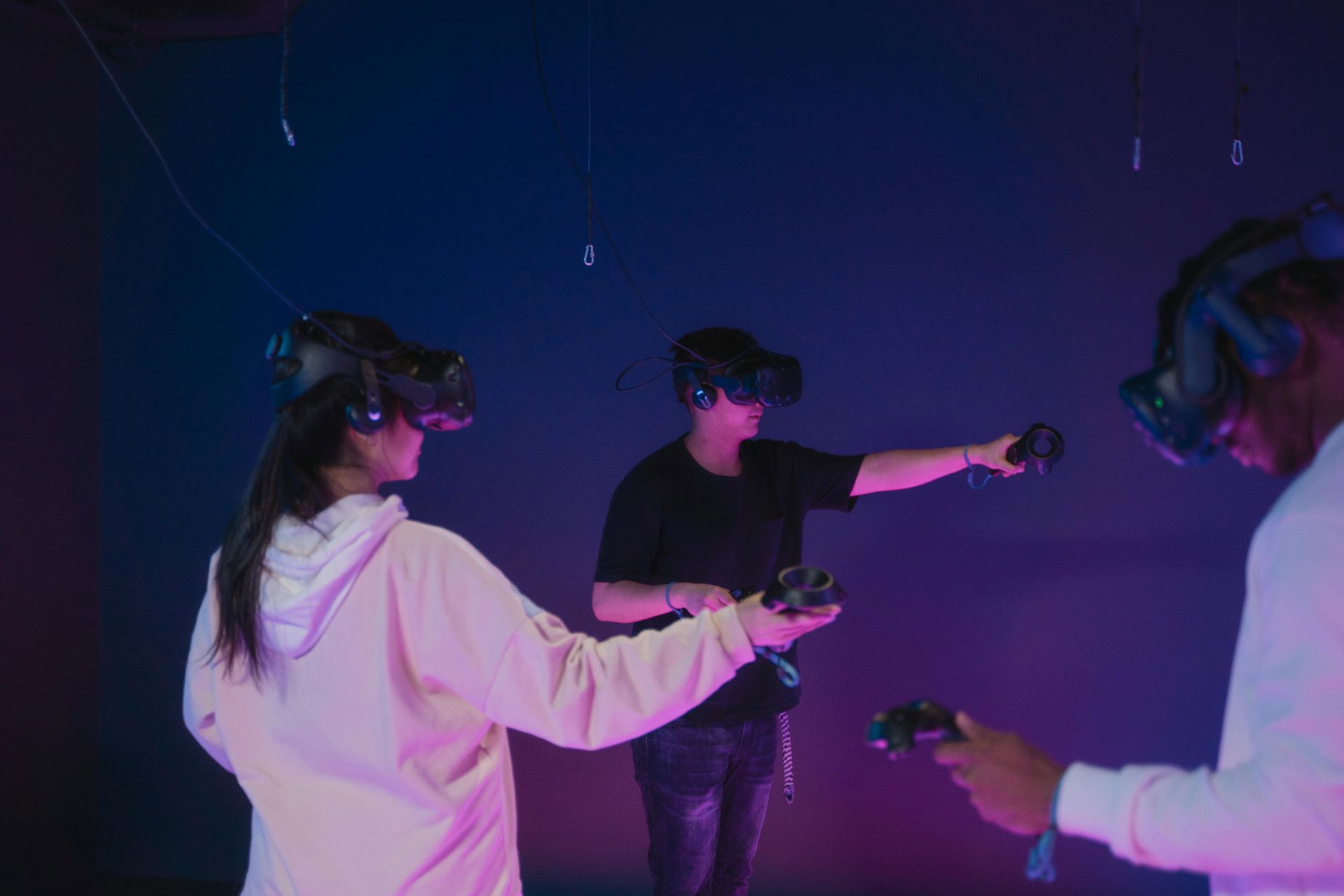
Animators Finding Rhythm Together in Virtual Realities
Animation is about time and movement as much as form. Traditional animation workflows rely on exchanging files, reviewing edits through video playback and stitching together feedback from disparate tools. VR adds a temporal and spatial dimension that reshapes this process.
In VR, animators can inhabit the stage with their characters. Instead of watching a character’s motion on a flat timeline, they watch it loop in space around them. They can step into the action, observe from multiple angles, and make adjustments from within the environment itself.
Collaborative VR platforms let multiple animators work simultaneously on a scene. One animator can sculpt keyframes while another adjusts camera paths and lighting. They can discuss motion arcs, timing and expression while the character cycles through sequences in real time. This synchronicity cuts down the iteration bottleneck that plagues many animation pipelines.
Spatial audio enhances the experience. Team members hear each other’s voices as though standing around the virtual stage. They can pause the action, gesture toward problem areas and describe nuances that might get lost in text‑based feedback.
Import tools link VR environments with traditional animation software like Maya or Unreal Engine. Designers don’t abandon their familiar pipelines — they augment them with spatial collaboration, keeping creative continuity while benefiting from real‑time shared context.
Engineers Prototyping, Testing and Solving Problems in VR
For engineers, especially those dealing with complex machinery or spatial systems, VR collaboration transcends visualization — it becomes a platform for exploration and problem solving.
Mechanical engineers can import CAD models of assemblies into VR, then examine parts at full scale. They can test how components fit together, how tolerances align and how mechanisms behave. In a shared VR session, team members can point to a misaligned shaft or suggest reconfiguring a bracket without switching between tools.
Structural engineers can walk through virtual building interiors, inspecting load‑bearing elements. Civil engineers can review site layouts and adjust routes or access paths in real time. Electrical engineers can trace virtual harnesses and examine cable routing as though inspecting a physical schematic.
Cross‑disciplinary engineering problems benefit enormously from VR’s shared space. When mechanical and electrical engineers collaborate, they can co‑locate their models and see interference issues live. They can mark up revisions directly on the virtual assembly, then export changes back into their native CAD environments.
Beyond design validation, VR supports training and simulation. Engineers can rehearse assembly sequences, simulate failure modes and practice maintenance procedures before touching a real prototype. This reduces risk and accelerates time‑to‑market.
Building Seamless Workflows: Integrations and Ecosystems
One of the biggest challenges for adoption lies not in VR hardware, but in ecosystem integration. Creative teams rely on mature tools — Adobe Creative Cloud, Autodesk suites, Unity, Unreal Engine, SolidWorks and others. To make VR collaboration truly effective, it must interoperate seamlessly with these familiar environments.
Leading VR platforms now offer import/export pipelines, plugins and real‑time sync with popular authoring tools. Designers can drag assets from Photoshop into VR studios. Engineers can stream live CAD data. Animators can preview Unreal Engine scenes inside VR without breaking workflow continuity.
Cloud‑based versioning and asset management tools help teams maintain single sources of truth. When a designer updates a model in VR, that change propagates back to the central repository. Version control helps prevent the confusion that arises from multiple divergent files.
Open standards and APIs encourage extensibility. VR collaboration tools are increasingly capable of integrating with project management systems, ticketing workflows and communication platforms. This means teams don’t have to abandon their established processes — they enhance them with a spatial collaboration layer.
Human Factors: Presence, Fatigue and Accessibility
No technology adoption is without human factors. VR’s immersive nature brings both benefits and challenges.
Presence — the sense of “being there” — is a remarkable enabler of creative collaboration, but it can also be mentally intense. Designers and engineers report deeper focus during VR sessions, but fatigue can set in after extended use. Effective VR collaboration workflows balance immersion with breaks, intermittent use and hybrid sessions that mix VR with traditional displays.
Accessibility also matters. Not all team members may have access to high‑end VR headsets. Fortunately, many platforms offer cross‑device participation — collaborators can join from tablets, laptops or desktop screens with reduced interactive fidelity. This helps ensure inclusivity, even if the full spatial experience is richer in VR.
Ergonomics and comfort of hardware continue to improve. Headsets are lighter, controllers more intuitive and calibration more seamless. Spatial audio and hand tracking contribute to natural interaction, reducing cognitive load and making collaboration feel more like working together in a room than manipulating abstract interfaces.
Case Studies: Creative Teams Already Ahead of the Curve
Across industries, companies are piloting and scaling VR collaboration for creative workflows. Advertising agencies use VR studios to conceptualize campaigns. Automotive designers iterate bodywork and cockpit layouts in shared virtual garages. Film studios rehearse scenes and block choreography inside VR stages before cameras roll.
In every case, surveys show reduced iteration cycles, fewer miscommunications and higher participant engagement. Teams report that seeing a design together in spatial context leads to faster consensus and more confident decision‑making.
As tools mature, these early adopters are defining new norms for creative collaboration. Workplaces are less dependent on physical proximity and more enabled by shared spatial presence.

The Future of Creative Collaboration in VR
Virtual reality collaboration isn’t a trend — it’s an evolution of creative workflows toward richer spatial understanding, deeper human connection and faster iteration. Designers, animators and engineers are no longer constrained by screens or siloed toolchains. They’re inhabiting ideas, prototyping together and reshaping creative practice in real time.
As hardware and software continue to advance, VR’s role in professional workflows will expand. Spatial computing, mixed reality and AI‑augmented tools will further blur the line between imagination and execution. For creative teams willing to embrace these spatial platforms, the future isn’t just collaborative — it’s vividly shared.


